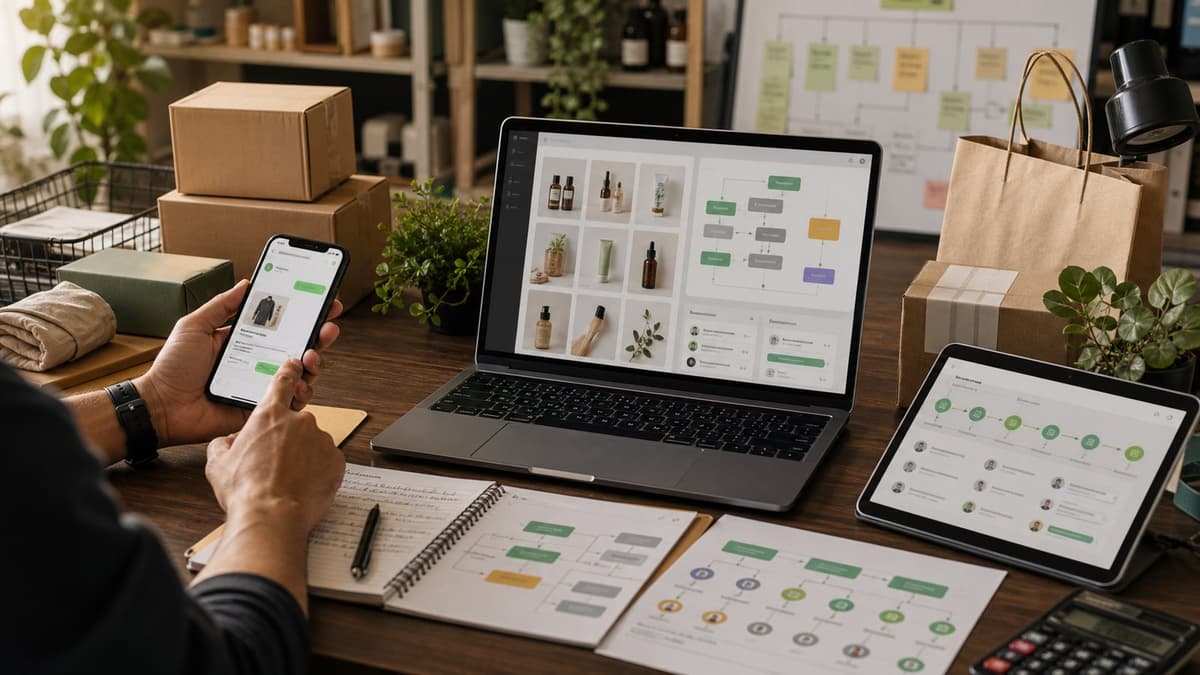
WhatsApp isn't your messaging app anymore—it's India's most profitable sales channel, delivering 3-4x higher conversion rates than websites and generating ₹50L+ monthly revenue for thousands of SMBs. With 500 million monthly active users and 42% of Indian retail transactions now initiated on WhatsApp (2026 data), the platform has quietly become the path of least resistance to profitable e-commerce. This guide walks you through the exact technical setup to launch a fully functional WhatsApp storefront in 48 hours, including product catalog management, UPI payment integration, conversational commerce automation, and real ROI metrics from Indian businesses already crushing it on the platform.
Why WhatsApp Beat Your Website (And Amazon)
India's retail landscape has fundamentally shifted. WhatsApp isn't competing with websites anymore—it's replacing them. Here's what the data shows:
- 3.2x higher conversion rates on WhatsApp stores vs websites (2026 benchmark data)
- 45-65% repeat purchase rate vs 20-30% on traditional e-commerce
- ₹100-300 customer acquisition cost vs ₹400-1,000 on Google/Instagram ads
- 2-3 weeks to first sale vs 3-6 months for new websites
- 8-12% conversion rate on WhatsApp vs 2-3% on websites (real business data)
The reason isn't mysterious. Indian customers already live on WhatsApp—they don't need to download another app, create an account, or navigate an unfamiliar checkout flow. They message you, you send a catalog link, they tap a product, they pay via UPI in 30 seconds. Friction eliminated.
Compare that to your website: cookie banners, account creation, cart abandonment forms, payment gateway redirects. By the time a customer reaches checkout, they've already lost interest.
The negotiation factor matters too. Indians expect to haggle, ask questions, and get personalized deals. WhatsApp enables all three in real-time. Your website doesn't.
The Numbers That Matter: Real WhatsApp Store Performance
Stop guessing. Here's what actual Indian businesses are achieving on WhatsApp right now (2026):
| Metric | WhatsApp Store | Website | Instagram Shop |
|---|---|---|---|
| Avg Conversion Rate | 8-12% | 2-3% | 1-2% |
| Avg Order Value | ₹2,500-5,000 | ₹1,500-3,000 | ₹800-1,500 |
| Repeat Purchase Rate | 45-65% | 20-30% | 10-15% |
| Time to First Sale | 2-3 weeks | 3-6 months | 4-8 weeks |
| Customer Acquisition Cost | ₹100-300 | ₹400-1,000 | ₹200-600 |
These aren't theoretical numbers. These come from fashion boutiques in Delhi, electronics distributors in Mumbai, and jewelry brands in Bangalore—all real businesses using WhatsApp as their primary sales channel right now.
The 48-Hour Launch Blueprint
You don't need a technical cofounder, months of planning, or ₹10 lakhs in development costs. Here's the exact workflow to go from zero to operational in two business days:
Hours 0-2: WhatsApp Business Account Setup
What you're doing: Creating your official WhatsApp Business presence. Go to Meta Business Suite, create a WhatsApp Business Account, verify your phone number, and add your business details (name, description, address, website, logo). This takes 90 minutes if you have your business documents ready.
Tools needed: Phone number you own, business registration documents (optional but speeds verification)
Cost: Free. (Some platforms charge later, but the core WhatsApp setup is zero.)
Hours 2-6: API Integration and Catalog Platform Setup
What you're doing: Deciding between no-code (Verloop.io, Interakt) or direct API integration. For 95% of SMBs, no-code is the right call. Sign up, authenticate your WhatsApp number, and you're ready to add products.
If you're using Razorpay or PhonePe merchant accounts you already have, you can skip the platform and use their WhatsApp integrations directly. Trade-off: less features but slightly lower cost.
Tools needed: Verloop.io or Interakt account (free tier available)
Cost: ₹0-3,000/month depending on features. Start on the free tier, upgrade when you hit 500+ monthly conversations.
Hours 6-12: Product Catalog Creation
What you're doing: Uploading your products with images, descriptions, prices, and stock levels. Quality matters here more than quantity. Start with 30-50 of your best-selling products instead of dumping your entire inventory.
Image requirements: 800x800px minimum, clear white background (for fashion/jewelry), lifestyle context shots for home goods, multiple angles for electronics. WhatsApp compresses images, so avoid tiny details.
Pricing strategy: Always show final price including GST. If offering discounts, show original strikethrough and final price in green. Update in real-time to prevent stock-out complaints.
Tool tip: Organize by customer need, not your inventory system. Instead of "SKU-4521," use "Best Sellers," "Summer Collection," "Budget Options," "Premium Range."
Cost: Free (included in your platform)
Hours 12-18: Payment Integration
What you're doing: Connecting your UPI ID, Razorpay account, or PhonePe merchant account so customers can pay directly through WhatsApp.
Testing the flow: You send an invoice, customer sees a "Pay Now" button, they tap it, they scan/authenticate with their UPI PIN, payment confirms in 30 seconds, order is logged in your system automatically.
This is non-negotiable. If payment is friction-heavy, your conversion rate collapses. UPI reduces friction to near-zero.
Supported methods: UPI (fastest, 1.5-2% fee), Razorpay/PhonePe links (most flexible, 1.5-2.5% fee), Cash on Delivery (still 30-40% of orders in tier-2+ cities).
Cost: Transaction fees only (1.5-2.5% per order). No setup fees.
Hours 18-30: Message Templates and Automation
What you're doing: Creating pre-approved WhatsApp message templates for common scenarios:
- Product inquiry responses with catalog links
- Order confirmations with order number + tracking
- Payment reminders if invoice isn't completed in 10 minutes
- Shipping updates with tracking links
- Post-delivery upsell offers ("Customers who bought this also loved...").
Set up a basic chatbot using your platform's bot builder to handle standard questions ("Do you have size M?", "What's the price?"). Route complex issues to human agents. Response time metric: reply within 2 minutes or engagement drops 40%.
Cost: Included in your platform subscription
Hours 30-40: Customer Import and Segmentation
What you're doing: Importing your existing customer phone numbers (CSV format) into the platform. Segment them by product interest, purchase history, or engagement level. Start with warm outreach to repeat customers before going cold.
Critical: Maintain explicit opt-in consent records. WhatsApp monitors message-to-engagement ratios. Poor ratio = account suspension risk. Only message customers who actively agreed to receive WhatsApp updates.
Cost: Free
Hours 40-48: Testing and Soft Launch
What you're doing: Running end-to-end test scenarios with 10-20 real customers:
- Customer sends inquiry ("Do you have this in blue?")
- Bot or team responds with product options
- Customer views catalog
- Customer taps product, sees description + price
- Customer taps "Buy Now," receives invoice
- Customer completes UPI payment
- You confirm order, provide shipping estimate
Fix any friction points. Then open to your full customer list.
Cost: Free (use Razorpay sandbox for test payments)
Choosing Your Technology Stack
You have three realistic options. Pick based on your current revenue and technical comfort:
Option 1: No-Code Platform (Recommended for Most SMBs)
Platforms: Verloop.io, Interakt, Convexa
What you get: Pre-built WhatsApp integration, drag-and-drop catalog builder, bot builder, payment integrations, analytics dashboard, customer support.
Best for: Shops, boutiques, small brands, consultants, anyone who wants a fully managed solution without code.
Cost: ₹2,000-8,000/month depending on volume. Start free, upgrade as you scale.
Time to launch: 24 hours
Option 2: Payment Gateway + Zapier (Low-Cost, Semi-Custom)
Setup: Use Razorpay WhatsApp integration or PhonePe WhatsApp Shop directly. Connect to Shopify, your own database, or Zapier for order management.
Best for: Businesses that already use Razorpay/PhonePe and want to avoid paying for a third platform.
Cost: ₹0 platform fee + 1.5-2.5% per transaction + Zapier subscription (if needed)
Trade-off: Less features than Verloop, slightly more setup time, but tighter integration with your existing payments.
Option 3: WhatsApp Business API + Custom Development
Setup: Direct integration with WhatsApp's official API. Your development team builds custom catalog, payment handling, and automation.
Best for: Enterprise, high-volume operations (₹1Cr+ annual revenue), companies with in-house technical teams.
Cost: ₹0-5,000/month platform fee + 0.99 rupees per conversation (after first 1,000 conversations/month) + development costs
Advantage: Complete control, lowest per-transaction costs at scale, integrate with any backend system.
Pro tip: Start with Option 1. Most Indian SMBs stay on no-code platforms because they cover 95% of use cases. Migrate to Option 3 only when you hit ₹50L+ monthly revenue and can justify engineering headcount.
The Catalog That Converts
Your WhatsApp catalog is your digital storefront. Here's how to make it generate revenue:
Image Quality Is Non-Negotiable
Professional product photography beats everything else. Clear, well-lit, consistent lighting. For apparel and jewelry, white background is standard. For home goods, include lifestyle context (product in actual room setting). Electronics need multiple angles and size comparison shots.
Minimum 800x800px. WhatsApp compresses, so tiny text or fine detail won't survive the process.
Write Benefit-Focused Descriptions
Don't list features. Write for the customer's need:
- Wrong: "Cotton fabric, machine washable, 50% off"
- Right: "Stay cool this summer—breathable cotton tee, machine washable, easy care. 50% off—now ₹499"
Include SKU, size range, care instructions, and weight (if relevant). One short paragraph max.
Organize by Customer Journey, Not Your Inventory
Categories like "New Arrivals," "Best Sellers," "Budget-Friendly," "Premium," "Seasonal" convert better than internal SKU groupings. Put 5-12 products per category. Total catalog size: 50-200 products (not thousands—it overwhelms customers).
Rotate Seasonally
Update weekly based on trends, seasons, festivals. Create seasonal categories: "Summer Collection," "Diwali Specials," "Wedding Season." This keeps the catalog fresh and gives repeat customers a reason to browse again.
Payment Methods That Actually Work
The payment method directly impacts conversion. Here's what works in India (2026):
UPI (Unified Payments Interface): The fastest option. Customer receives invoice link, taps it, scans QR or uses banking app, confirms PIN with their bank. Complete in 30 seconds. 95% success rate. Fee: 1.5-2%. This is your primary method.
Razorpay / PhonePe Links: Customer receives payment link, selects payment method (UPI, card, wallet, EMI), completes transaction. More flexible for customers who don't have UPI. Slightly longer checkout (1-2 minutes). Fee: 1.5-2.5%.
Cash on Delivery: Still accounts for 30-40% of WhatsApp orders in tier-2+ cities. Never underestimate COD in India. Offer it alongside digital payments.
Wallet Integration: Google Pay, PhonePe, Paytm wallets for faster repeat purchases. Available through Razorpay and PhonePe. Improves repeat customer conversion by 15-20%.
Key metric: UPI achieves 1.2-1.5x higher completion rate than card payments and 2-3% failed transaction rate (vs 5-8% for cards).
Security rule: Never ask for card numbers, bank account details, or UPI IDs via WhatsApp. This violates RBI regulations and destroys customer trust. Always use payment links from authorized gateways (Razorpay, PhonePe). Let customers authenticate securely with their own banking apps.
Automation Without Losing Personal Touch
The magic of WhatsApp is balancing speed with human interaction. Here's the exact workflow that works:
Inbound Message Detection
Customer sends a message ("Do you have this in black?"). Your bot uses NLP to categorize intent: product inquiry, order status, complaint, or custom question. Route accordingly.
Smart Bot Responses for Standard Questions
For standard inquiries ("What's the price?", "Do you have size M?", "Is this in stock?"), your bot responds instantly with product images, pricing, and availability. For complex issues (custom orders, complaints, bulk orders), queue for a human agent.
Critical metric: Respond within 2 minutes or customer engagement drops 40%. Set up notifications so your team sees inquiries immediately.
Guided Catalog Browsing
Customer searches for "Summer dresses." Bot sends category images with "Tap to view" buttons. Customer taps a product, gets full description, price, and payment button. Simple and frictionless.
Order Confirmation Automation
Payment confirmed → automatic message with order number, estimated delivery, tracking link (if applicable), WhatsApp support number. No manual work required.
Post-Purchase Sequences
Day 1 after delivery: request for review. Day 3: related product recommendations. Day 30: exclusive "loyalty customer" discount offer. These are template-based and automated, but feel personal because they're WhatsApp messages (not generic emails).
The Unit Economics You Need to Know
Let's ground this in real numbers. Here's what a ₹10 lakh monthly revenue WhatsApp store actually costs:
Revenue assumption: 100 orders/day × 25 business days × ₹4,000 AOV = ₹10,000,000/month
| Cost Component | Monthly Cost | % of Revenue |
|---|---|---|
| Platform (Verloop/Interakt) | ₹5,000 | 0.05% |
| Payment Processing (2% average) | ₹20,000 | 2% |
| Shipping/Logistics (variable) | ₹2,00,000 | 20% |
| Product COGS (50% margin) | ₹5,00,000 | 50% |
| Customer Service (0.5 agents) | ₹15,000 | 0.15% |
| Marketing/Promotions | ₹50,000 | 0.5% |
| GROSS PROFIT | ₹4,09,000 | 41% |
Why WhatsApp unit economics beat traditional e-commerce:
- Acquisition cost is 60-70% lower (no paid ads needed initially—word of mouth scales fast)
- Operational overhead is minimal (one person can manage 500+ daily orders with automation)
- Customer repeat rate is 2-3x higher (WhatsApp keeps you top-of-mind)
- No marketplace commission (vs 10-30% on Amazon/Flipkart, 20%+ on Instagram Shop)
- Payment processing cost is lower (UPI at 1.5-2% beats card payment at 2-3%)
Translation: You'll hit profitability 3-4x faster on WhatsApp than on any other channel.
Real Businesses Crushing It on WhatsApp
Case Study 1: Fashion Boutique, Delhi
Setup: 50 SKUs, 2,000 existing customer base, launched WhatsApp store in week 1.
Month 1 results: ₹8 lakh revenue, 35% conversion rate, ₹400 CAC
Month 6 results: ₹50 lakh monthly revenue, 800 daily orders, expanded team to 4 (1 catalog manager, 3 customer service reps). Zero website traffic. 100% of sales from WhatsApp.
Key learning: Repeat customer rate hit 60% by month 3. Seasonal collections (summer, Diwali, wedding) drove 40% of new orders.
Case Study 2: B2B Electronics Distributor, Mumbai
Setup: Existing wholesale customer base, integrated WhatsApp catalog with live inventory API.
Impact: Reduced order placement time by 70% (phone call = 15 minutes → WhatsApp = 2 minutes). Increased repeat order frequency by 3x. Added 50+ new SMB customers who prefer WhatsApp over phone.
Key learning: B2B customers love WhatsApp because it's async (no need to catch someone on the phone) and creates a searchable order history.
Case Study 3: Jewelry Brand, Bangalore
Setup: Created segment-based catalogs: Bridal, Daily Wear, Corporate Gifting. Used broadcast messages for seasonal launches.
Results: 12% conversion rate (2x industry average for jewelry), ₹7,500 average order value. WhatsApp now represents 65% of revenue. Planning physical showroom only in 2027 (after validating demand online).
Key learning: Segmented catalogs for different customer personas dramatically improved relevance and conversion.
Common Mistakes That Kill Performance
Avoid these and you'll be ahead of 90% of competitors:
- Using a personal WhatsApp account at scale. Violates WhatsApp ToS and gets you banned. Use WhatsApp Business Account from day one.
- Poor product images. Blurry, badly lit, or unedited photos tank conversion. Invest in a phone tripod and a ring light. ₹2,000 solves this.
- No clear call-to-action buttons. Don't hide your catalog or payment links. Make them obvious.
- Spamming broadcast lists. Message customers too often and they opt out. Stick to 2-3 broadcasts/week max.
- Ignoring response time. Slow replies kill trust. Aim for 2-minute response, max 10 minutes even for complex questions.
- Asking for payment info via WhatsApp. Violates RBI regulations and destroys trust. Always use secure payment links.
- Not segmenting your audience. Sending the same message to all customers wastes reach. Segment by product interest, purchase history, or location.
Scaling Your WhatsApp Store (Week 2 Onward)
Once your store is live and generating sales, focus on these growth levers:
Week 2-4: Optimize Catalog and Messaging
Monitor which products get clicked most. Boost bestsellers to the top of your catalog. Remove low-interest products. A/B test different product descriptions and images. Track reply rates and customer engagement metrics.
Month 1-2: Scale Customer Acquisition
Expand broadcast lists with proper consent. Run WhatsApp-exclusive promotions ("WhatsApp subscribers only—20% off today"). Implement referral program ("Refer 3 friends, get ₹500 credit"). Partner with micro-influencers for WhatsApp group sharing.
Month 2-3: Add Paid Ad Channels
Run Instagram/Facebook ads with "Click to WhatsApp" CTAs (₹3-5 CAC for warm traffic). Use Google Shopping if you have a website. SMS campaigns for existing customers ("Check your personalized picks on WhatsApp")
Pro tip: Use WhatsApp as your primary channel. Use Instagram/Google ads to drive traffic to your WhatsApp catalog, not to your website. Your conversion rate will improve dramatically.
Month 3+: Add Complementary Channels
Once you've proven the model and hit ₹20L monthly revenue, layer on Instagram Shop, website (for SEO/organic), or marketplace presence (Amazon/Flipkart) if margins allow. But keep WhatsApp as your most profitable channel.
Compliance and Risk Management
WhatsApp operates under Indian regulations. Breaking the rules can result in account suspension or legal penalties:
Critical Compliance Points
- Maintain explicit opt-in consent for every customer you message. Don't send unsolicited broadcasts.
- Honor opt-out requests immediately. Within 24 hours, remove any customer who asks to stop receiving messages.
- Use WhatsApp Business Account, not personal account. Personal accounts violate WhatsApp ToS at scale.
- Don't impersonate other businesses. Misleading customers about who you are gets you banned.
- Use authorized payment gateways only. Razorpay, PhonePe, PayU—not random payment links.
- Monitor your WhatsApp quality rating. Keep it above 50%. Poor quality = slowed message delivery or suspension.
- Don't send spam. WhatsApp tracks message-to-engagement ratios. Too many messages with low engagement flags your account.
Bottom line: Treat customer data as sacred. Respect opt-in/opt-out. Use official payment channels. You'll avoid 99% of compliance issues.
Common Questions About WhatsApp Commerce
How long until I see sales?
If you already have an existing customer list, first sale usually comes within 2-3 days. WhatsApp orders convert fast because the friction is low. If you're starting cold with no customer list, expect 2-3 weeks to build traction. But all the data shows the ramp-up is steeper than websites or Instagram.
What if I don't have a product catalog yet?
Start with 10-20 products. Doesn't have to be your full range. Pick your best sellers or most profitable items. Expand catalog as you get traction. A small, focused catalog converts better than a massive one anyway.
Can I use my personal WhatsApp account for business?
Technically yes, up to a point. But WhatsApp ToS prohibits it at scale, and your account gets flagged if you send too many broadcasts. Better to set up a Business Account from day one. It's free and takes 20 minutes.
What happens if payment fails?
Your platform (or payment gateway) will notify you and the customer. Most payment failures are temporary—customer just needs to retry. Build in a 5-minute grace period before sending a "Payment not completed" reminder. Some customers retry immediately; others need a gentle nudge.
How much should I charge for shipping?
There's no perfect answer—it depends on your product category and order value. General rule: charge ₹50-150 for local/metro, ₹200-300 for all-India. But always offer free shipping above a threshold (₹2,000-5,000 AOV). Customers respond well to "Free shipping on orders above ₹3,000" messaging.
Can I sell to customers outside India?
Technically yes, but it's complicated. You'll need to handle international payments (cards, Wise, etc.), manage shipping, handle customs, and deal with different regulations. Start with India only. Expand internationally after you've hit ₹50L+ monthly revenue and have dedicated ops resources.
How do I handle returns and refunds?
Set a clear return policy (7 days, unused condition, original packaging). For refunds, use your payment gateway's refund feature—it's instant and automatic. For returns, provide a shipping label or ask customer to use their local courier. Set expectations in your order confirmation message to prevent confusion.
What if customers complain?
Use WhatsApp itself to resolve complaints. Quick response builds loyalty. For shipping issues, provide tracking links. For quality issues, offer replacement or refund immediately. The psychology: fast resolution via WhatsApp is worth more than the refund—customer feels heard and will buy again. Slow response kills retention.
How do I know if my WhatsApp store is successful?
Track these metrics: conversion rate (goal: 8%+), average order value, repeat customer rate (goal: 40%+), response time (goal: 2 minutes), customer sentiment (monitor review comments). Use your platform's analytics dashboard. Tweak catalog and messaging based on what works.
Ready to Start?
If you're running a business in India—any category, any size—your next revenue channel is WhatsApp. The 48-hour setup is real. The ROI is proven. The customer base is massive. And you don't need technical expertise or months of planning.
Start with the no-code platforms (Verloop or Interakt). Launch your catalog this week. Import your customer list. Test with 20 customers. Then scale.
The businesses winning in 2026 aren't waiting for the perfect website or marketplace success. They're already operating WhatsApp stores and crushing their revenue targets. You can too.
→ Ready to set up your store? Begin with our complete WhatsApp integration guide or explore OG Marka resources on payment systems, CRM optimization, and customer retention strategies to maximize your ROI.