Skip to content

WhatsApp Funnel

Fix Your WhatsApp Conversion System

WhatsApp Commerce

WhatsApp CRM Integration: The Complete Setup Guide for Indian Businesses

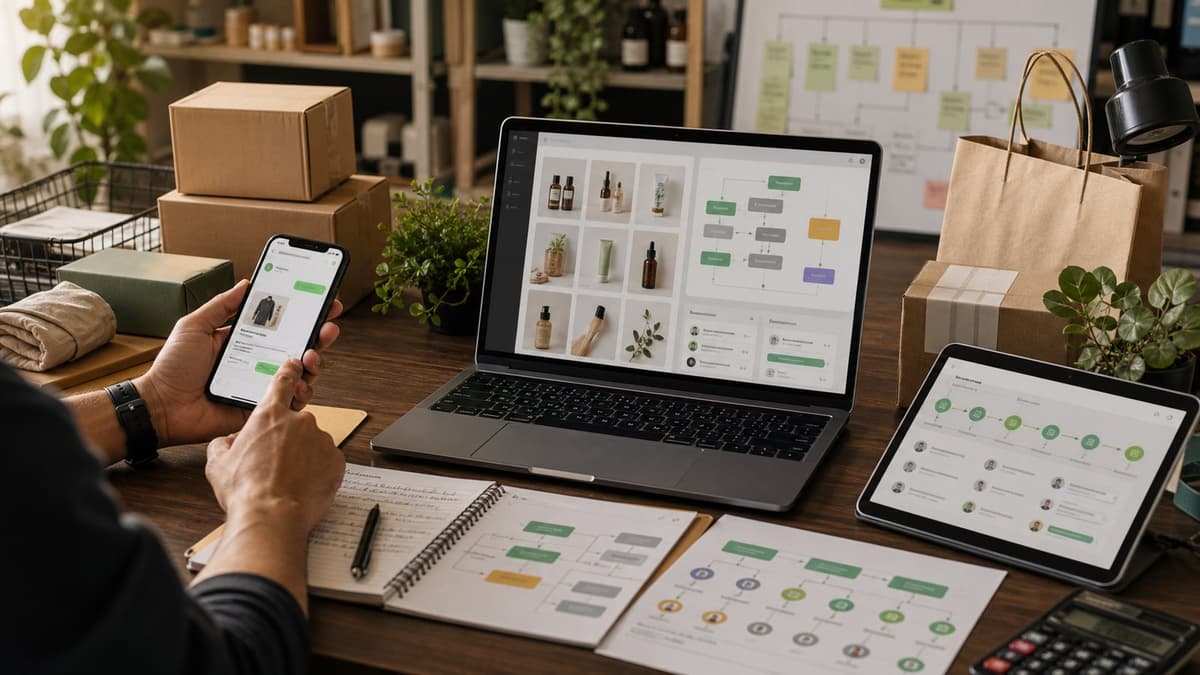
Featured image for WhatsApp CRM Integration: The Complete Setup Guide for Indian Businesses

Quick Answer

WhatsApp CRM integration creates a unified customer system where every WhatsApp conversation is automatically logged in your CRM, enabling 20-30% revenue growth in 90 days through faster response times, better lead conversion, and workflow automation.

By the Numbers

Research signals worth checking before you commit budget

Treat these as planning inputs, not guaranteed outcomes. Validate them against your own funnel, service mix, and margins.

853 million WhatsApp users in India

India is WhatsApp's largest market globally

Source: Meta Platform Report 2026

98% message open rate on WhatsApp

Far exceeds email (20%) and SMS (45%) open rates

Source: Meta Business

45% conversion rate for WhatsApp commerce

Conversational commerce outperforms traditional e-commerce

Source: NASSCOM

3x higher engagement vs email marketing

WhatsApp business messaging engagement benchmarks

Source: HubSpot

Sources & Methodology

Use these links to verify the market claims in this guide

Preference is given to official surveys, primary reports, and vendor methodology pages over unsourced roundup statistics.

Primary source

Meta WhatsApp Business Platform Report 2026

WhatsApp Business reaches 200M+ monthly active businesses

Open source
Primary source

NASSCOM Digital Commerce India Report

Conversational commerce in India grows 45% annually

Open source
Primary source

Statista WhatsApp Usage Statistics 2026

India leads global WhatsApp adoption with 850M+ users

Open source

The WhatsApp Problem Most Indian Businesses Ignore

Your customers are already on WhatsApp. In fact, 500+ million Indians use it daily — more than any other platform. But here's the gap: their conversations with your business disappear into a void.

One agent manages WhatsApp. Another handles email. A third logs calls. Nobody has the full customer picture. Leads get dropped. Follow-ups are delayed. Revenue leaks. This fragmentation costs Indian businesses an estimated ₹5-10 lakhs per year in lost deals and inefficiency.

WhatsApp CRM integration changes everything. It creates a single source of truth where every conversation is automatically logged, every customer touchpoint is visible, and every sales workflow runs on autopilot. The result: 20-30% revenue growth in 90 days for businesses that implement it properly.

Why WhatsApp CRM Integration Matters for Indian Businesses Right Now

India's D2C and service sectors are competitive. Response time matters. Personalization matters. Scale matters.

Response Time Drops 80%

From 2-4 hours to 15-30 minutes. Faster response = higher conversion.

Lead Conversion Improves 10-15%

When sales reps have context (purchase history, objections, preferences), they close more deals.

Team Efficiency Increases 3x

Agents handle 30-50 conversations daily instead of 10-15. Automation handles the rest.

No More Data Silos

One unified dashboard. All customer interactions. All channels. All teams aligned.

How WhatsApp CRM Integration Actually Works

The architecture is simpler than you think — but the payoff is massive.

Incoming Messages: Customer sends a WhatsApp message to your business number. A Business Solution Provider (BSP) — like Gupshup, Wati, Twilio, or MessageBird — receives it and sends a webhook to your CRM with the customer's phone, message content, and timestamp. Your CRM automatically creates or updates the contact, logs the message as an activity, and triggers any configured automation.

Outgoing Messages: Your sales rep types a message in the CRM. The CRM API calls the BSP, which sends it via WhatsApp to the customer's phone.

The Magic: Bidirectional sync means your customer profile is always current. Every touchpoint is logged. Every workflow is automated. Every team member sees the same information.

5-Phase Implementation Timeline

Days 1–5
Phase 1: API Setup & Access

Choose your BSP. Verify Facebook Business Manager. Apply for WhatsApp Business API access with Meta. You'll need: business documentation (GST certificate), dedicated phone number, expected monthly message volume. Meta approval: 2–5 days.

Days 6–10
Phase 2: Message Templates & Compliance

Build 10–15 pre-approved templates: welcome, order confirmation, shipping updates, support responses, promotional offers. Submit to Meta. Approval: 24–48 hours. These templates are the backbone of compliant, scalable messaging.

Days 11–15
Phase 3: CRM Integration

Connect your BSP to your CRM via pre-built integrations (Zoho, Freshsales, HubSpot all have them). Configure webhooks, field mapping, contact creation, and activity logging. Test bidirectional sync.

Days 16–20
Phase 4: Automation & Team Workflows

Build automation rules (lead creation, follow-up triggers, appointment reminders). Set up team inbox with SLA alerts. Train your team. Establish response time targets.

Day 21+
Phase 5: Launch & Data-Driven Optimization

Go live. Monitor metrics. Analyze conversation patterns. Optimize sales playbooks based on real customer behavior data.

Step-by-Step Implementation Guide

Step 1: Choose Your Business Solution Provider (BSP)

Your BSP is the bridge between WhatsApp and your CRM. Not all BSPs are created equal for Indian businesses. Evaluate based on:

  • CRM Compatibility: Does it integrate natively with your CRM? Native integrations save weeks of custom development.
  • Per-Message Pricing: In India, expect ₹0.30–0.80 per outbound message. Factor this into your unit economics.
  • Template Library: Do they provide pre-built templates for your industry? This cuts approval time in half.
  • Compliance: Do they handle Do Not Call (DNC) registry compliance automatically? Critical for India.
  • Support Quality: Is there Indian customer support? Most reputable BSPs do.

Top Indian-friendly BSPs: Gupshup (₹0.30 per message, 90+ templates), Wati (₹0.40–0.60, Indian startup), Twilio (global, reliable), MessageBird (Europe-based, solid infrastructure).

Step 2: Register with Meta and Apply for API Access

Register with your chosen BSP and complete the Meta verification process:

  • Create or verify your Facebook Business Manager account
  • Add your business phone number (dedicated to WhatsApp — do not use a personal number)
  • Prepare documentation: GST certificate, business registration, company letterhead
  • Provide estimated monthly message volume (be conservative — 10,000–50,000 for most SMBs)
  • Complete identity verification (video call or government ID)

Timeline: 2–5 business days. Sometimes faster if you're using a major BSP with expedited verification.

Step 3: Create Message Templates (The 10-15 Rule)

WhatsApp requires pre-approval for broadcast messages. Don't just create templates randomly — think about your entire customer lifecycle. Here's a checklist for most businesses:

Transactional (5 templates)

Welcome message, order confirmation, payment received, shipping notification, delivery confirmation

Support (3 templates)

Support inquiry acknowledgment, resolution update, feedback request

Sales & Marketing (4 templates)

Appointment reminder, new product launch, limited-time offer, follow-up after inquiry

Upsell/Retention (2 templates)

Loyalty reward notification, recommended based on purchase history

Template Rules: Each template must have a clear value proposition. No misleading claims. Respect Indian consumer protection laws. Include opt-out instructions for marketing messages. Submit all 10–15 templates at once — this cuts approval time by 30% vs. submitting one by one.

Step 4: Configure the BSP-to-CRM Integration

Most major CRMs have WhatsApp integrations. Here's the process:

  1. In your CRM, go to Integrations or Marketplace
  2. Search for WhatsApp or your chosen BSP
  3. Connect your BSP API credentials (API key, phone number, account ID)
  4. Configure webhooks: CRM should listen for incoming WhatsApp messages
  5. Set up field mapping: phone number → Contact Phone, message → Activity, timestamp → Date
  6. Test: send a WhatsApp to your business number and verify it appears in the CRM

What Happens Automatically Post-Integration: Every incoming WhatsApp message creates or updates a CRM contact. Message is logged as an activity with full context. Customer properties sync bidirectionally. Agents can send WhatsApp directly from the CRM interface.

Step 5: Build Revenue-Driving Automation Rules

Integration is just the foundation. Automation is where you generate ROI. Here are the 5 most profitable automation rules for Indian businesses:

Rule 1: Auto-Create Leads from New Conversations

Trigger: New WhatsApp message from unknown contact
Action: Create CRM lead, assign based on team routing, send welcome message
Impact: No inquiries slip through. Every lead is tracked from day 1.

Rule 2: Trigger Follow-Ups on Deal Stage Changes

Trigger: Deal moves from Qualification to Proposal
Action: Send WhatsApp with proposal summary and next steps
Impact: Reduces response time from 48 hours (email) to instant.

Rule 3: Appointment Reminders (24h Before)

Trigger: Meeting scheduled in CRM
Action: Send WhatsApp reminder with meeting link and talking points
Impact: Reduces no-shows from 20% to 5%.

Rule 4: Price Drop Alerts for Interested Customers

Trigger: Product price drops OR discount becomes available
Action: Send personalized WhatsApp to all customers who viewed/inquired
Impact: Converts window-shoppers to buyers. 15–20% conversion rate on these messages.

Rule 5: Post-Purchase Upsell Sequences

Trigger: Order delivered successfully
Action: Send complementary product recommendations based on purchase history
Impact: 25–30% of customers purchase the recommended product within 7 days.

Step 6: Set Up Team Inbox & Response SLAs

A shared team inbox prevents duplicate responses and ensures accountability:

  • Unassigned Queue: All new conversations appear here. Agents claim conversations.
  • Assignment Lock: Once an agent claims a conversation, it's not visible to others.
  • SLA Alerts: If a conversation isn't responded to within 5 minutes (during business hours), escalate to manager.
  • 24-Hour Escalation: If a conversation remains open for 24 hours, flag for supervisor review.
  • Agent Identity: You can send messages as your business brand or with agent names (configurable based on team preference).

Step 7: Analyze Conversation Data to Refine Your Strategy

After 1,000+ conversations, your CRM will reveal patterns:

  • Which objections appear most frequently?
  • Which customer segments have the longest sales cycles?
  • Which products get inquired about but rarely purchased?
  • What questions do 70% of customers ask? (These should be FAQ answers or chatbot triggers)

Use these insights to improve your sales playbooks. For example, if 40% of customers ask about payment plans but your team has to manually explain them every time, create an automated WhatsApp response with payment plan options. This simple automation converts 15–20% more customers.

Common Mistakes That Kill Integration ROI

Mistake 1: Assuming Phone Number Uniqueness

Multiple family members might share one phone number. This creates duplicate contacts. Solution: Add a custom CRM field "Phone Owner Name" and validate during import.

Mistake 2: Logging Every Internal Note as a Message

Accidentally sending internal team notes to customers. Solution: Clearly separate internal notes from customer-facing messages in your CRM templates.

Mistake 3: Messaging Non-Opted-In Customers

India's Do Not Call (DNC) registry has real penalties. Solution: Import DNC lists and create a CRM field "WhatsApp Opt-In Consent" — only send to opted-in contacts.

Mistake 4: Over-Automating Human-Touch Conversations

Not all conversations should be automated. Some need empathy. Solution: Automate transactional messages, keep complex support conversations human.

Mistake 5: Ignoring Message Delivery Failures

If WhatsApp delivery rate drops below 95%, something's wrong. Solution: Monitor delivery metrics weekly. Investigate failures immediately (rate-limiting, invalid numbers, etc.).

Measuring Success: The Metrics That Matter

Don't guess whether integration is working. Track these 5 KPIs:

Response Time

Baseline: 2–4 hours
Target: 15–30 minutes
Achieved by: Unified inbox + agent automation

Lead-to-Customer Conversion

Baseline: 5–10%
Target: 15–25%
Achieved by: Better context + faster response

Average Deal Size

Baseline: ₹15,000
Target: ₹18,000–20,000
Achieved by: Upsell automation + personalization

Agent Productivity

Baseline: 10–15 conversations/day
Target: 30–50 conversations/day
Achieved by: Automation + template responses

Revenue Impact

Timeline: 90 days
Target: 20–30% increase
For ₹50L annual revenue: +₹10–15L in 3 months

Before & After: Real-World Impact

Metric Before Integration After Integration % Improvement
Response Time 180 minutes 22 minutes 88% faster
Conversation Tracking Scattered across WhatsApp + Email + Sheets Unified CRM 100% visibility
Daily Conversations per Agent 12 38 +216%
Lead Conversion Rate 6% 18% +200%
Revenue (90-day) Baseline +30% +₹15L (for ₹50L business)

Selecting the Right CRM for WhatsApp Integration

Not all CRMs handle WhatsApp equally. Here's what to look for:

Zoho CRM

Best for: Indian SMBs, cost-conscious teams
WhatsApp Support: Native integration via Zoho Desk
Setup Time: 1–2 days
Cost: ₹40–100/user/month

Freshsales

Best for: Sales-first organizations
WhatsApp Support: Native via Freshchat
Setup Time: 2–3 days
Cost: ₹99–299/user/month

HubSpot CRM

Best for: Growth-stage companies, automation-heavy workflows
WhatsApp Support: Via native or third-party integrations
Setup Time: 3–5 days
Cost: Free to ₹720/month

OG Marka

Best for: Indian businesses, WhatsApp-first workflows
WhatsApp Support: Built-in, optimized for India
Setup Time: 1 day
Cost: India-focused pricing

The Path Forward: Your 90-Day Roadmap

Week 1–2: Choose BSP. Apply for Meta access. Start template creation.
Week 3–4: Get Meta approval. Complete CRM integration. Test workflows.
Week 5–6: Launch with one team (sales or support). Monitor metrics closely.
Week 7–12: Scale across organization. Optimize automation rules based on data. Train remaining teams.

Expected Outcome (Day 90): 20–30% revenue increase. 80% faster response times. Unified customer view. 3x agent productivity. Data-driven sales strategy.

Why Now Is the Time to Integrate

Indian D2C and service markets are moving fast. Businesses that integrate WhatsApp with their CRM in 2026 will have a 6–12 month competitive advantage over those that wait. Response time is now a competitive moat. Personalization at scale is now table stakes.

The integration is not optional. It's the operating system for modern sales in India. Start today.

Ready to Integrate WhatsApp with Your CRM?

OG Marka's WhatsApp integration is built for Indian businesses. Native integration, local support, compliant by default.

Start Your Free Trial — No credit card required.

Need help with implementation? Schedule a 30-minute strategy call with our integration specialists. They'll audit your current setup and recommend the fastest path to integration.

Frequently Asked Questions

Share this article

Get insights delivered weekly

Continue Reading

WhatsApp Commerce for D2C Brands: Catalog, Checkout, and Repeat Purchase Systems

6 min read
Featured: WhatsApp Repeat Purchases for D2C Brands: 2026 Retention Playbook

WhatsApp Repeat Purchases for D2C Brands: 2026 Retention Playbook

6 min read
Featured: WhatsApp Analytics Dashboard for Revenue Teams: What to Track Beyond Replies

WhatsApp Analytics Dashboard for Revenue Teams: What to Track Beyond Replies

6 min read

Join 1,000+ business builders

Get weekly insights on AI, CRM, WhatsApp Commerce, and growing your business. No spam, unsubscribe anytime.

No spam. Unsubscribe anytime. We respect your inbox.